Start with the planting requirement
Review crop, acreage and planned date before comparing candidates.
Field allocation
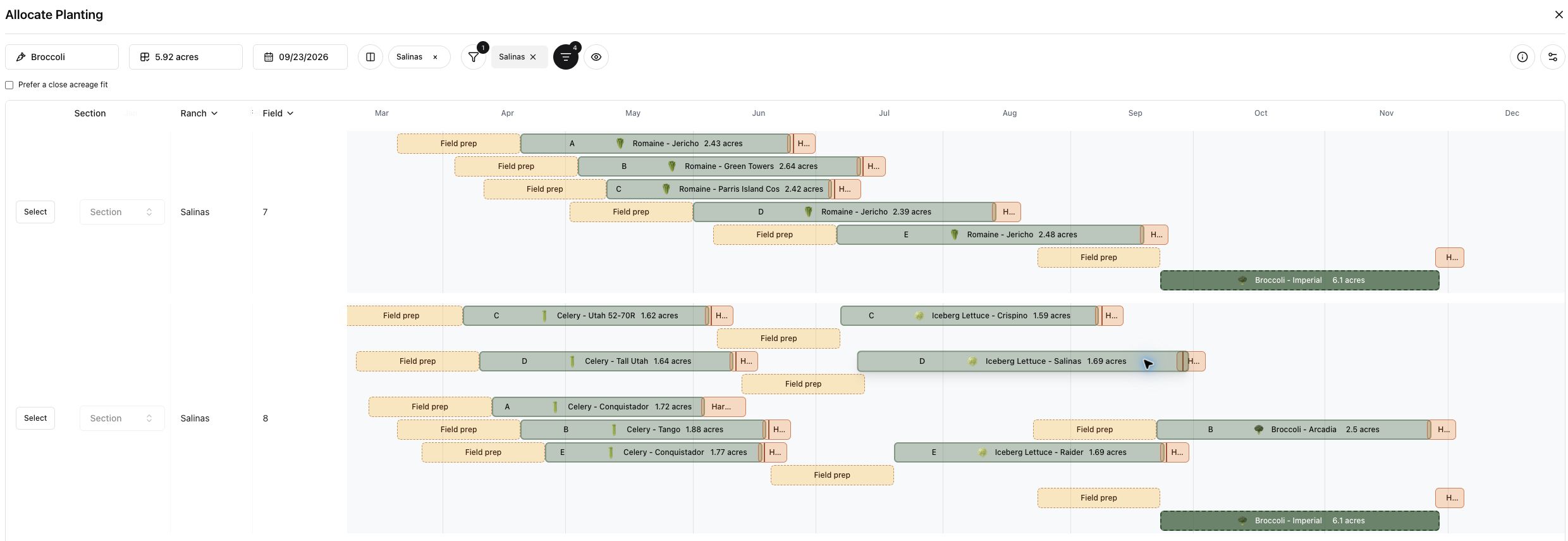
Compare available land, crop history, soil fit and timing before committing a planting to a field.
Explore the workflow ↓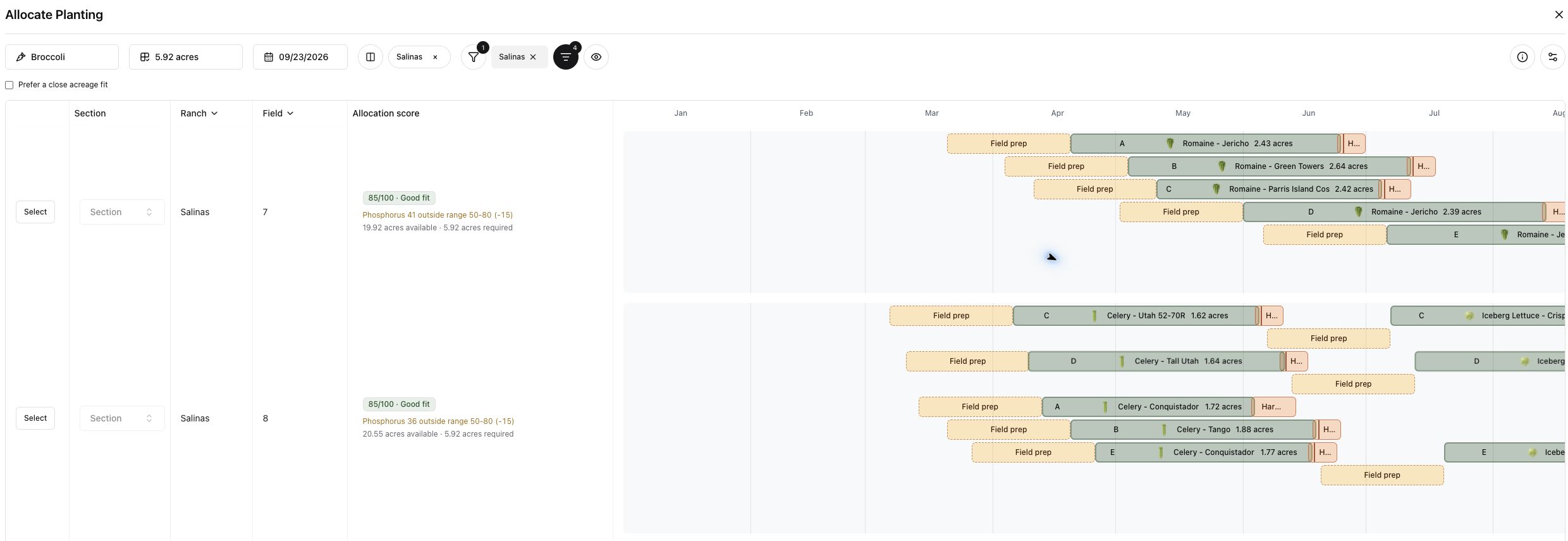
Compare available land, crop history, soil fit and timing before committing a planting to a field.
Review crop, acreage and planned date before comparing candidates.
Use allocation scores and their explanations to assess available acreage and configured crop–soil or rotation constraints.
See previous crops, preparation and harvest windows alongside the proposed planting.
Keep the decision with your team, then carry the selected field into the planting schedule and related work.
One connected platform
An allocation is useful when it works for both the crop and the operation. Keep demand, growers and the field schedule connected.
Walk through field allocation with your team’s crops, workflows and priorities in mind.
Talk with Holo ↗